MaiPed vereint einen professionellen Dateimanager, vollständige SVN-Versionskontrolle und KI-gestützte Code-Reviews in einer nativen macOS-App. Keine Electron-App. Keine Cloud-Abhängigkeit. MaiPed combines a professional file manager, full SVN version control and AI-powered code reviews in one native macOS app. No Electron. No cloud dependency.
Dateimanager, SVN-Client, Code-Reviewer, FTP-Client und KI-Assistent – nativ für macOS. File manager, SVN client, code reviewer, FTP client and AI assistant – native for macOS.
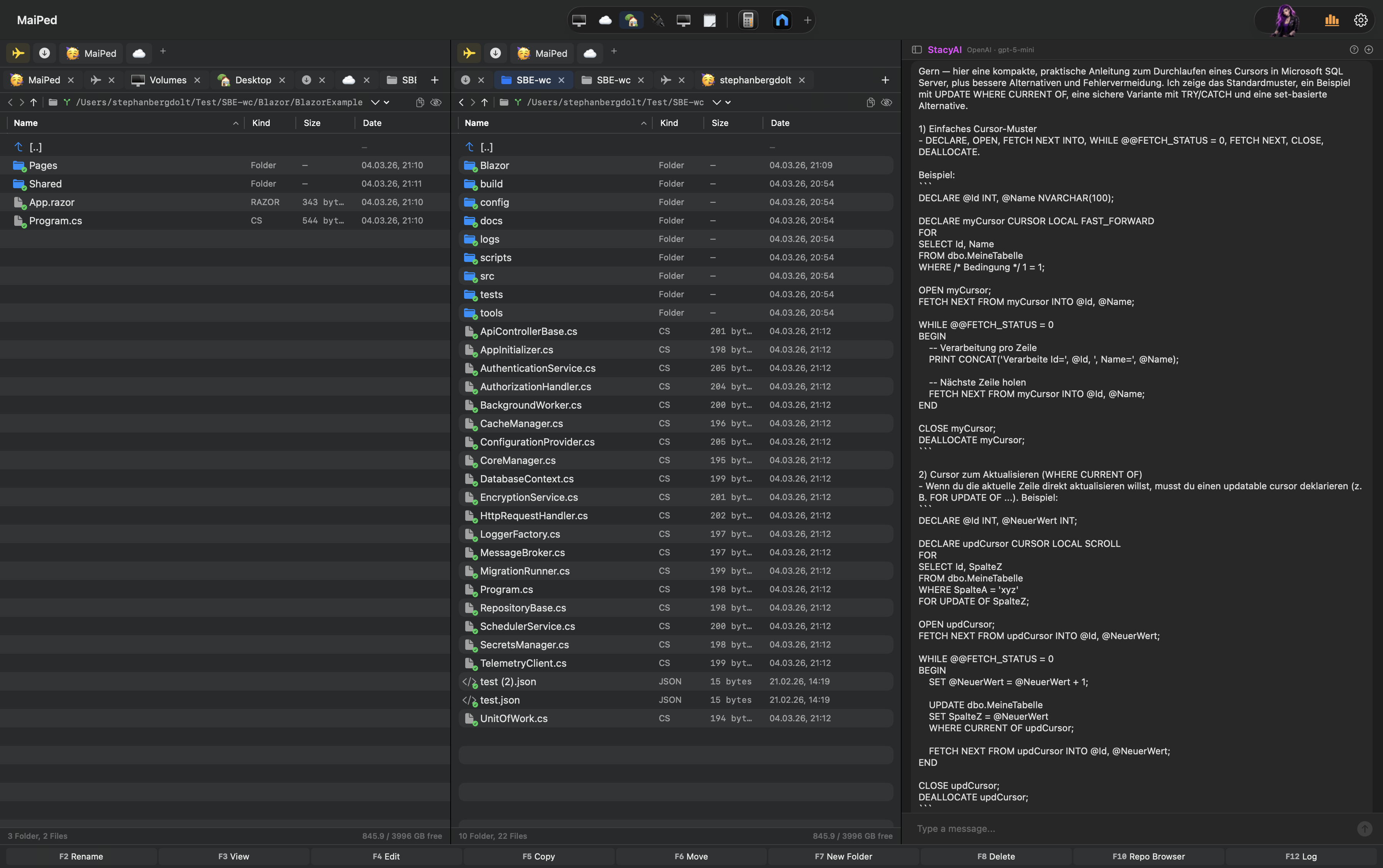
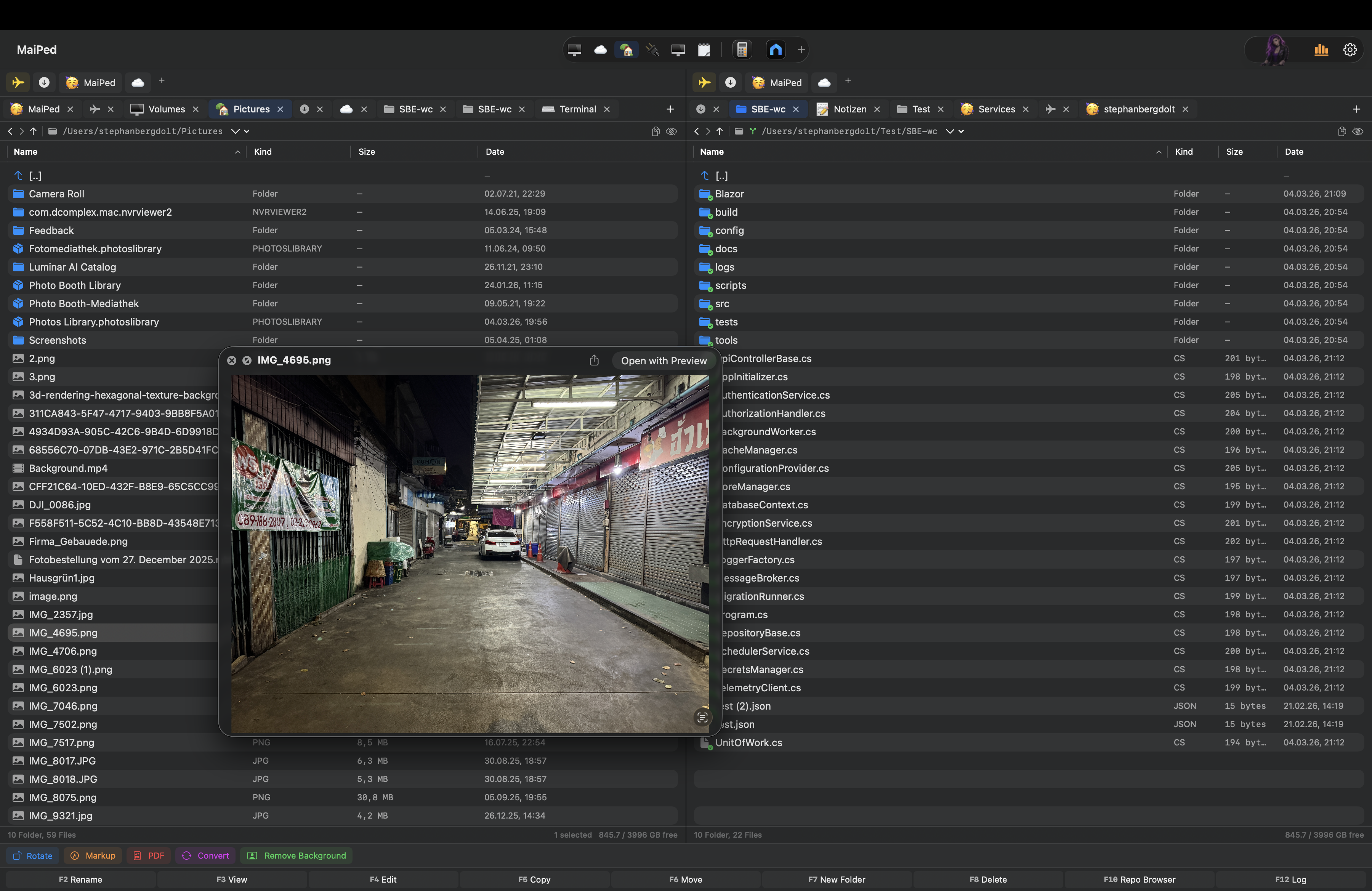
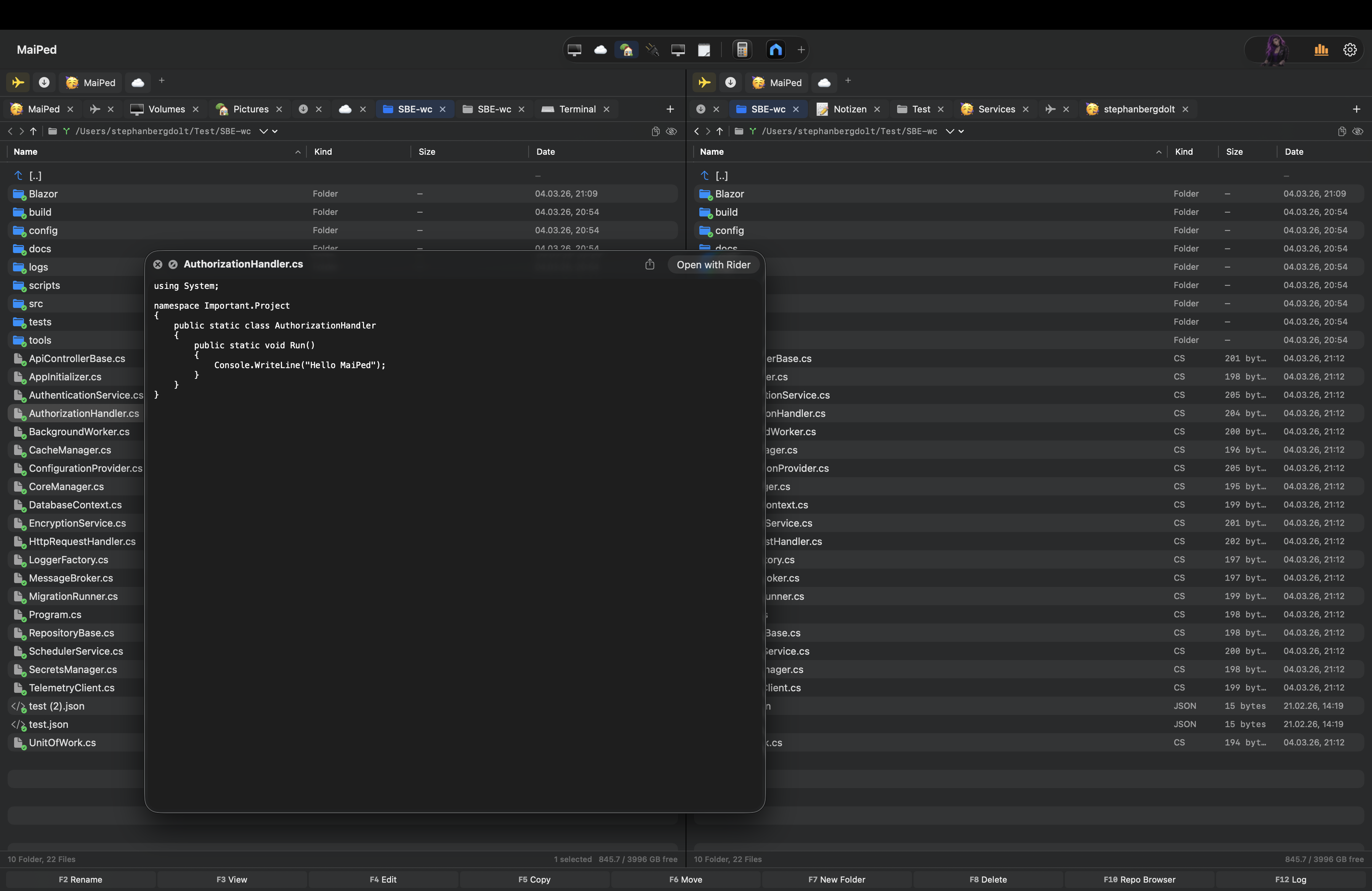
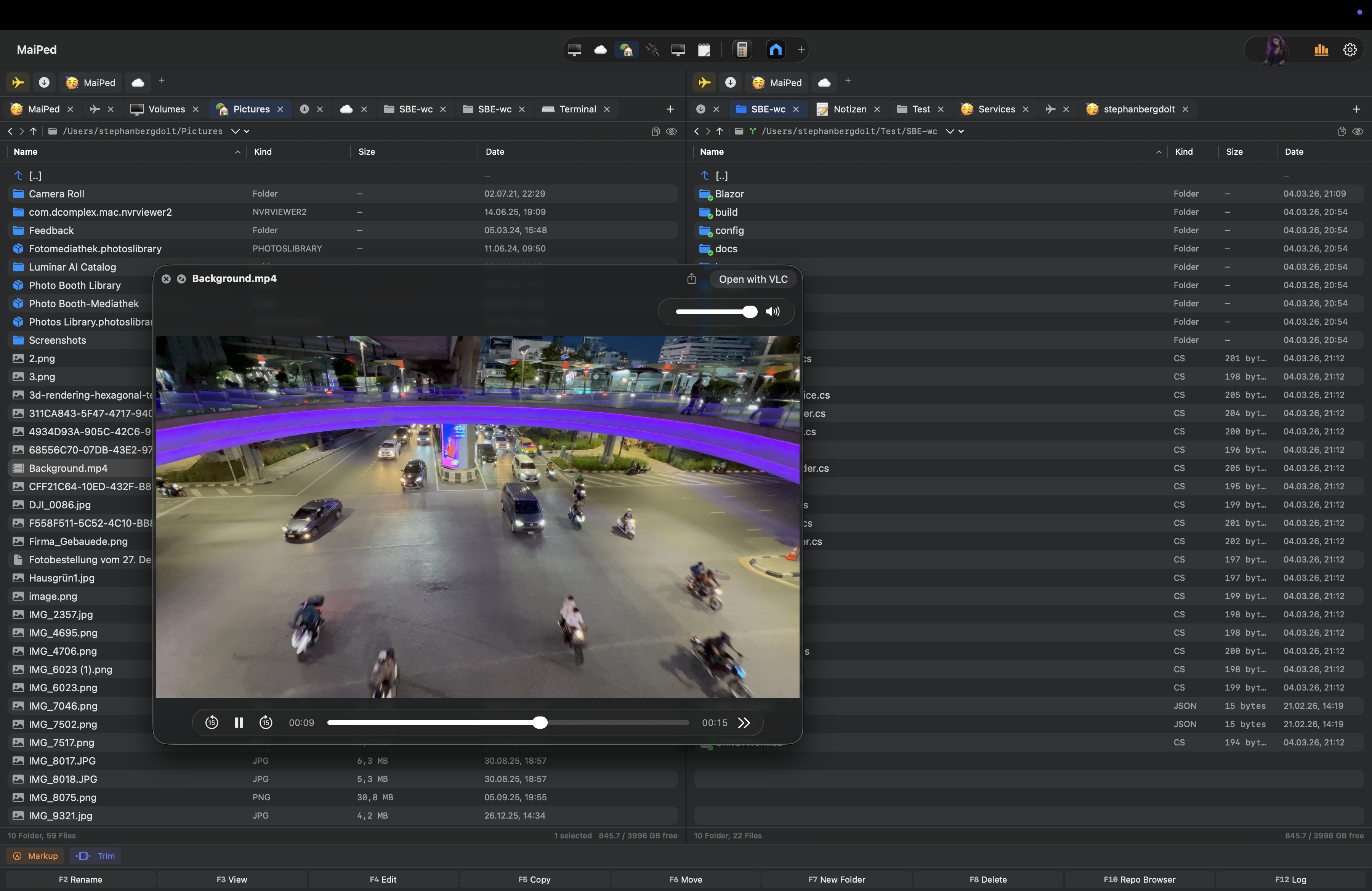
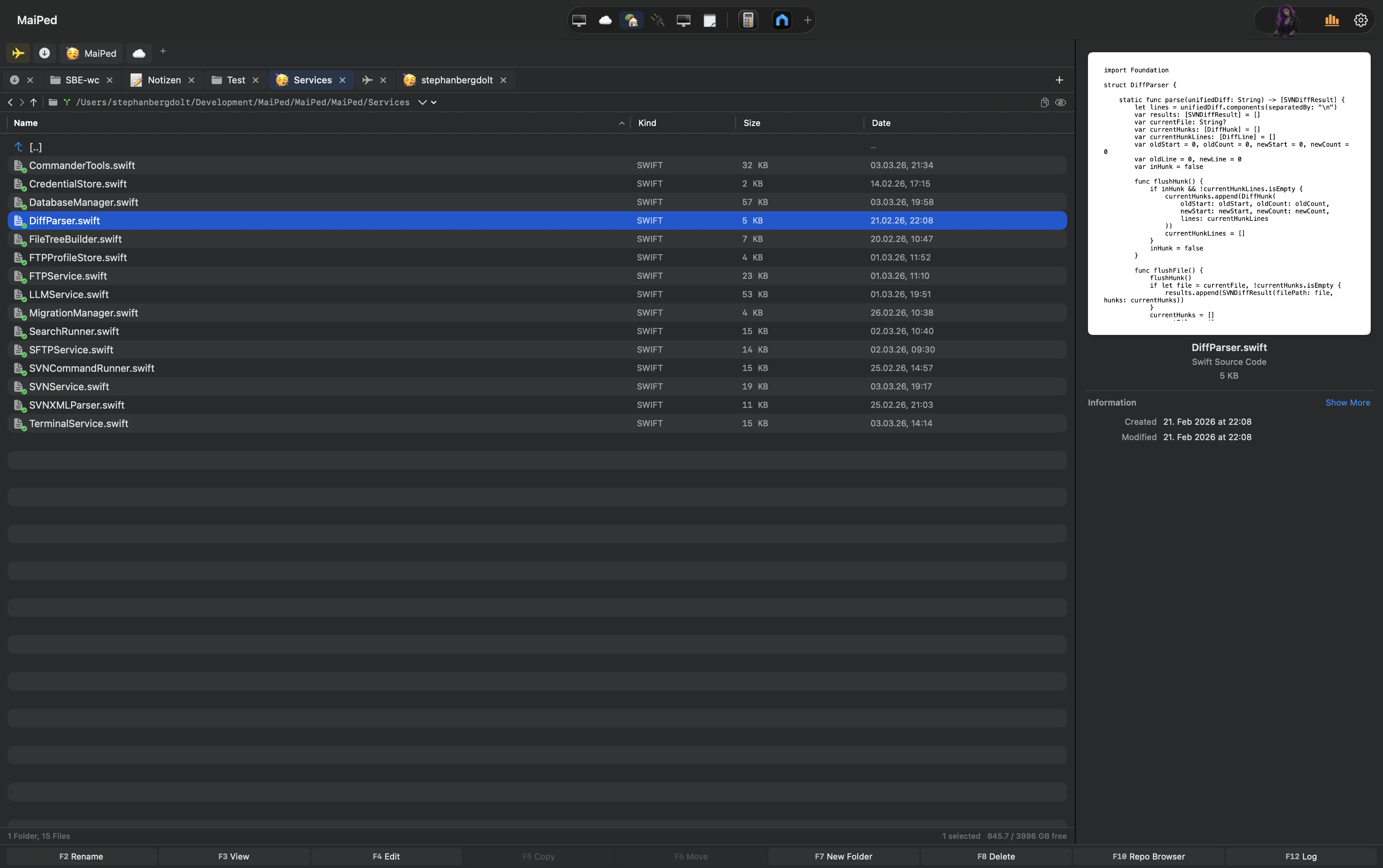
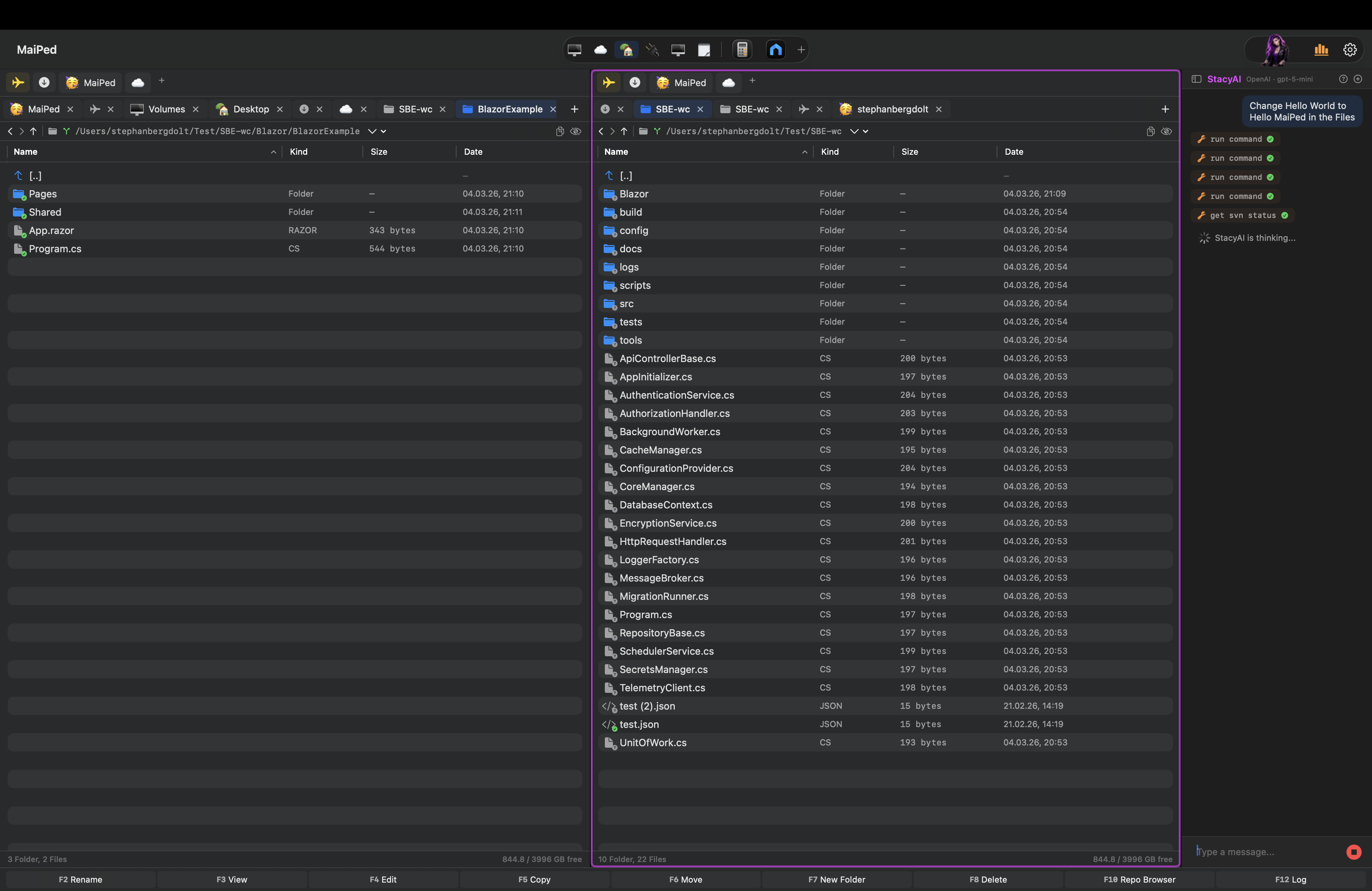
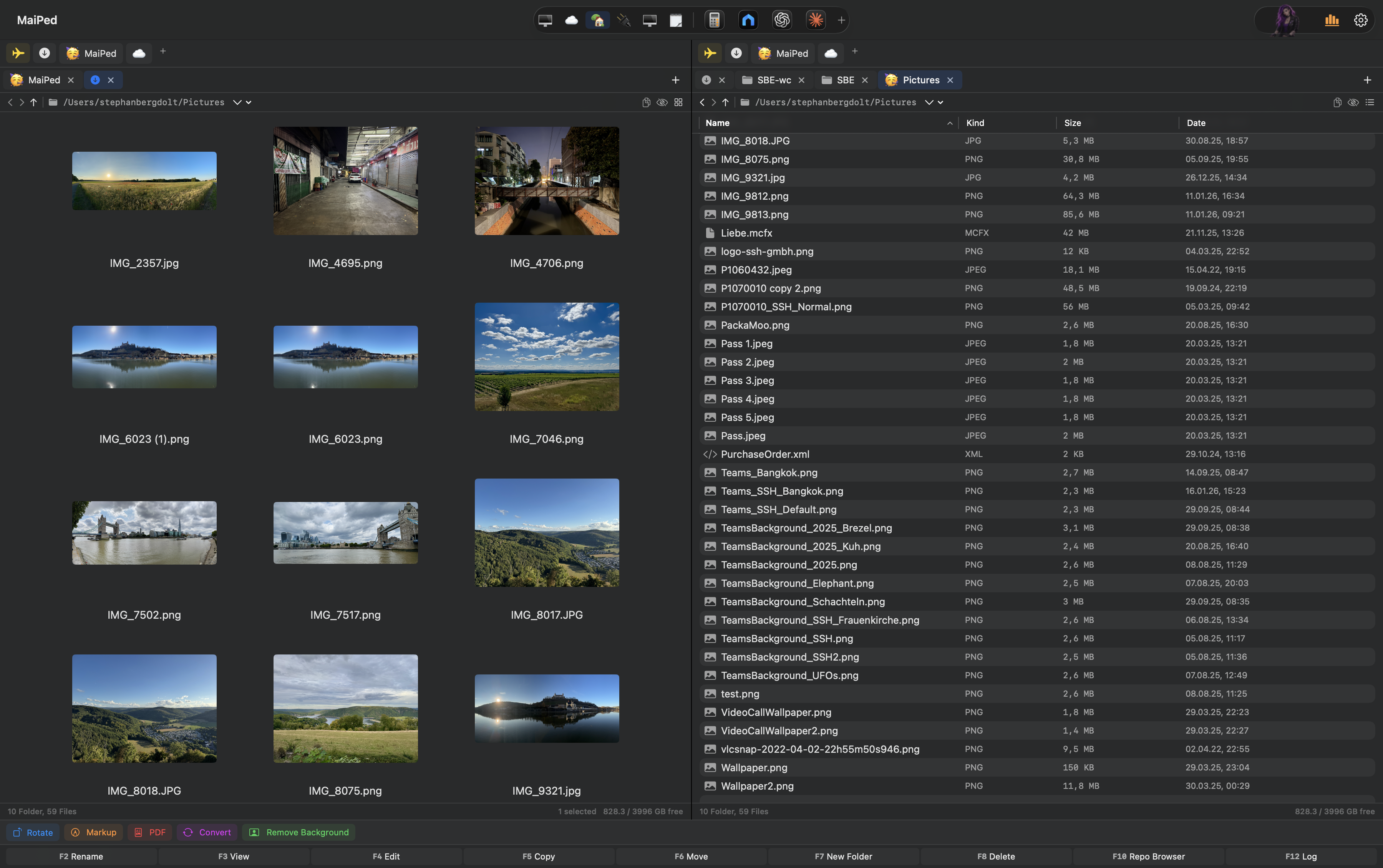
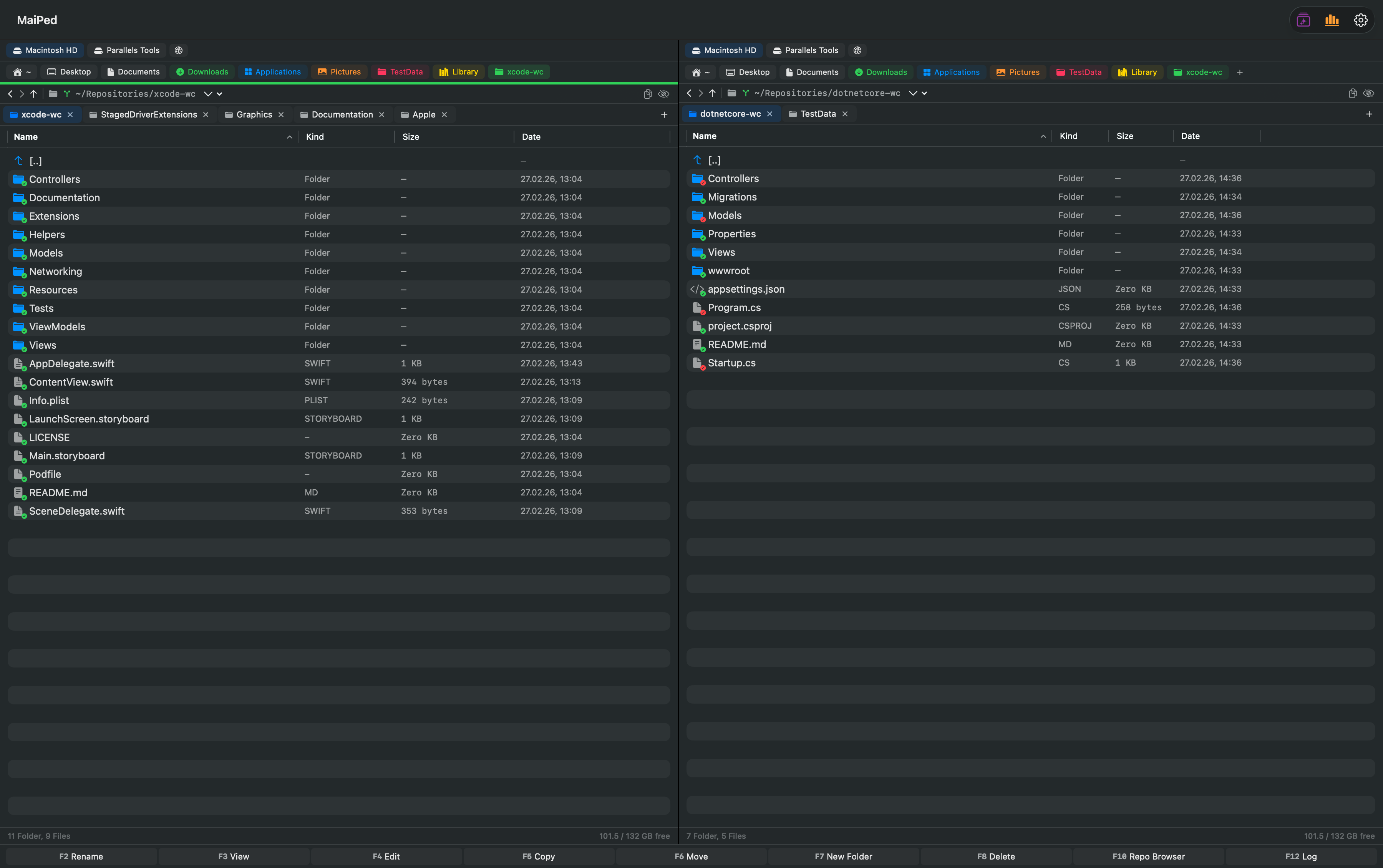
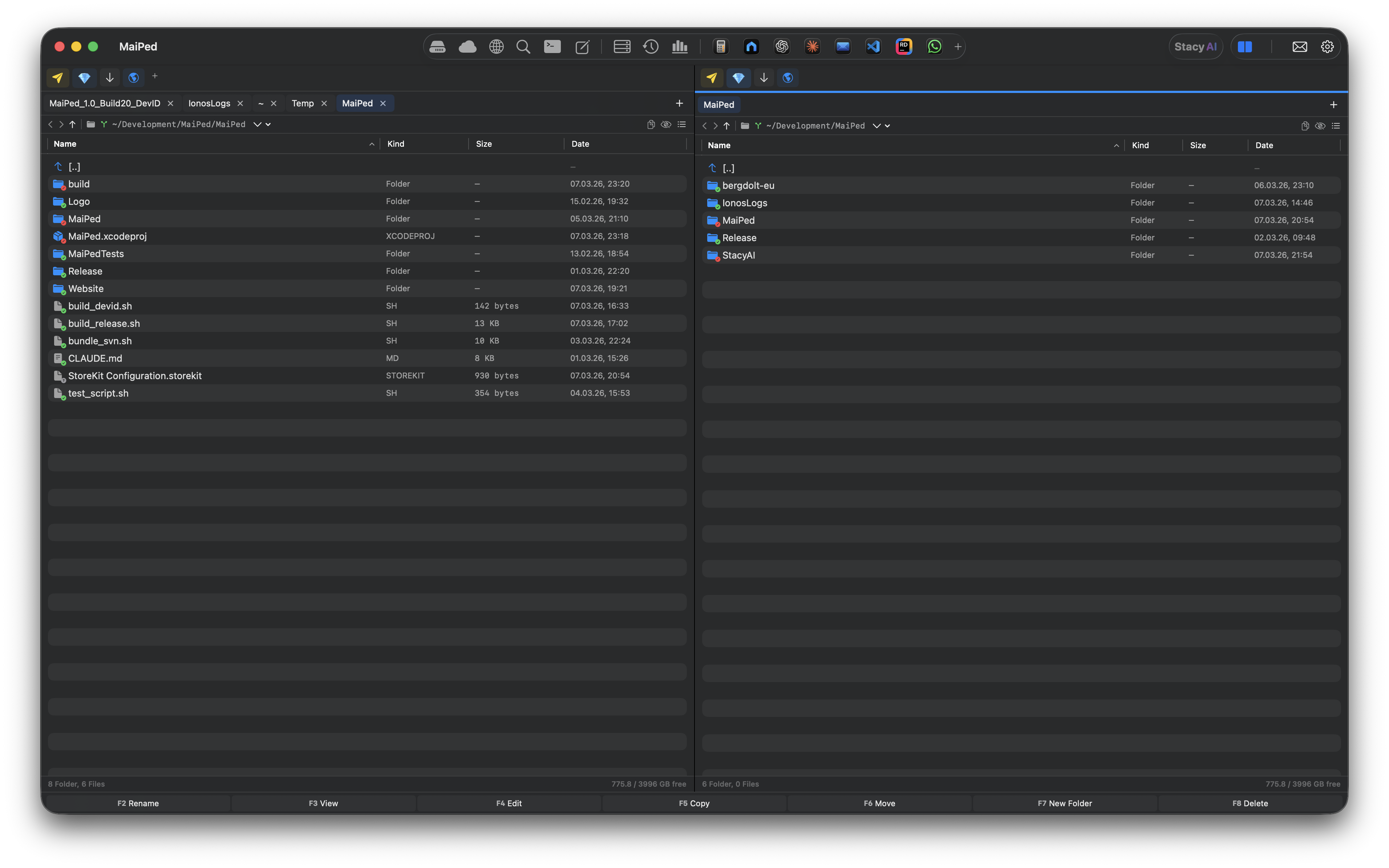
Professioneller Dateimanager mit zwei Spalten, Tabs, individuell anpassbaren Favoriten (per Drag & Drop sortierbar) und einem App-Launcher in der Toolbar. Listen- und Symbolansicht mit echten Datei-Thumbnails und Pinch-to-Zoom. macOS-Aliase werden erkannt und können erstellt werden. Integriertes Feedback-Formular direkt in der App.Professional file manager with two panes, tabs, individually customizable favorites (reorderable via drag & drop) and an app launcher in the toolbar. List and icon view with real file thumbnails and pinch-to-zoom. macOS aliases are recognized and can be created. Built-in feedback form right in the app.
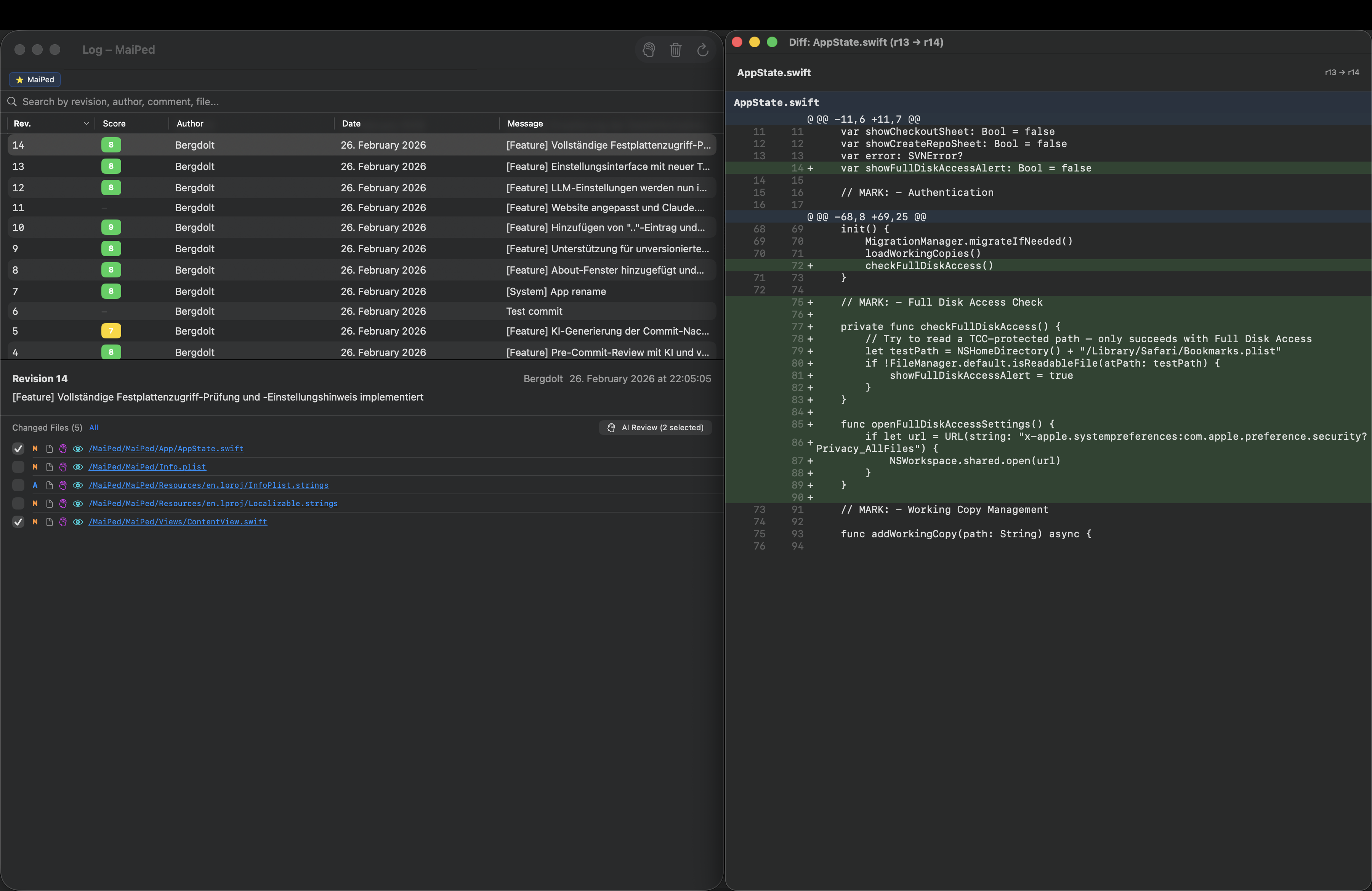
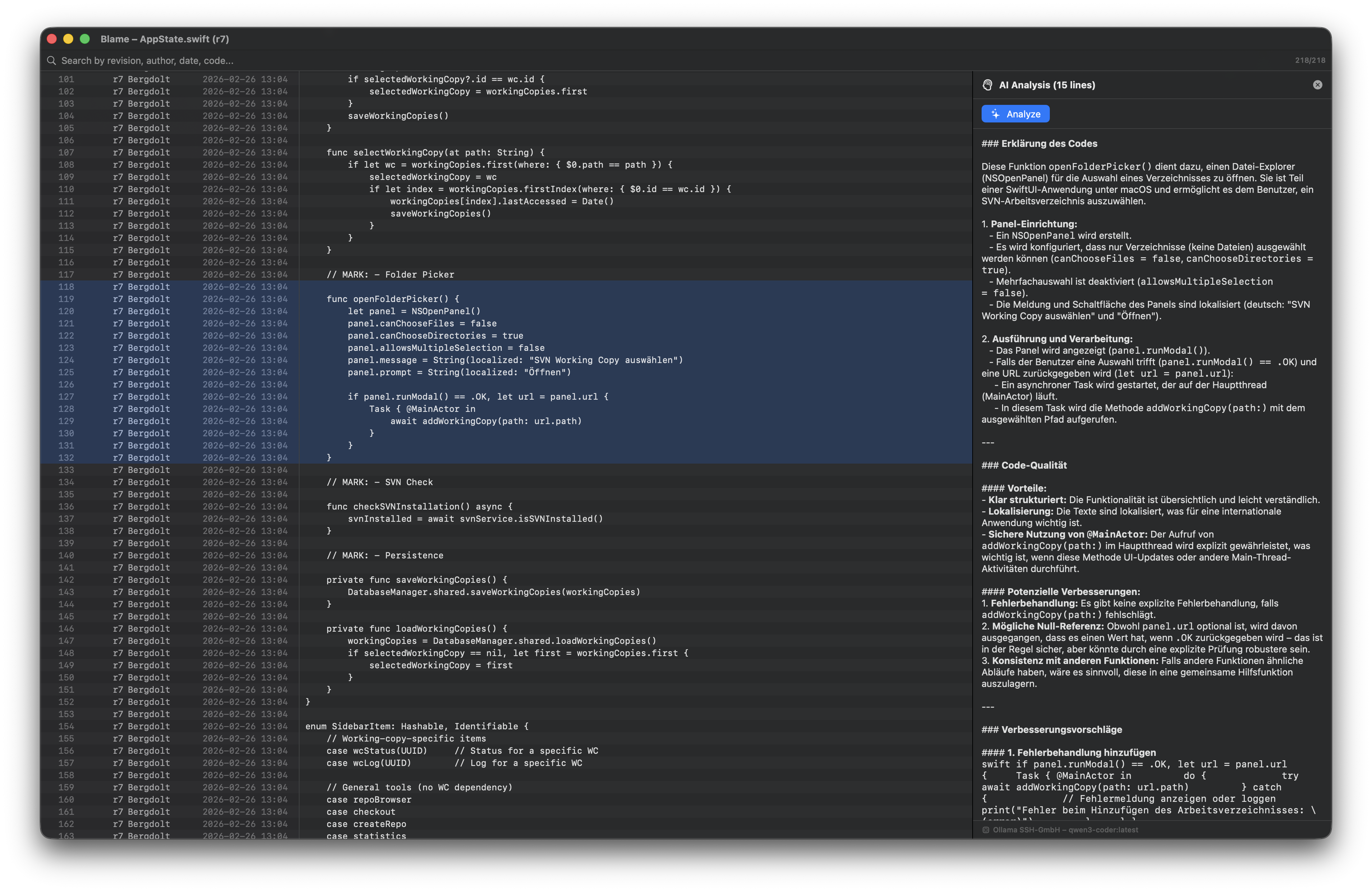
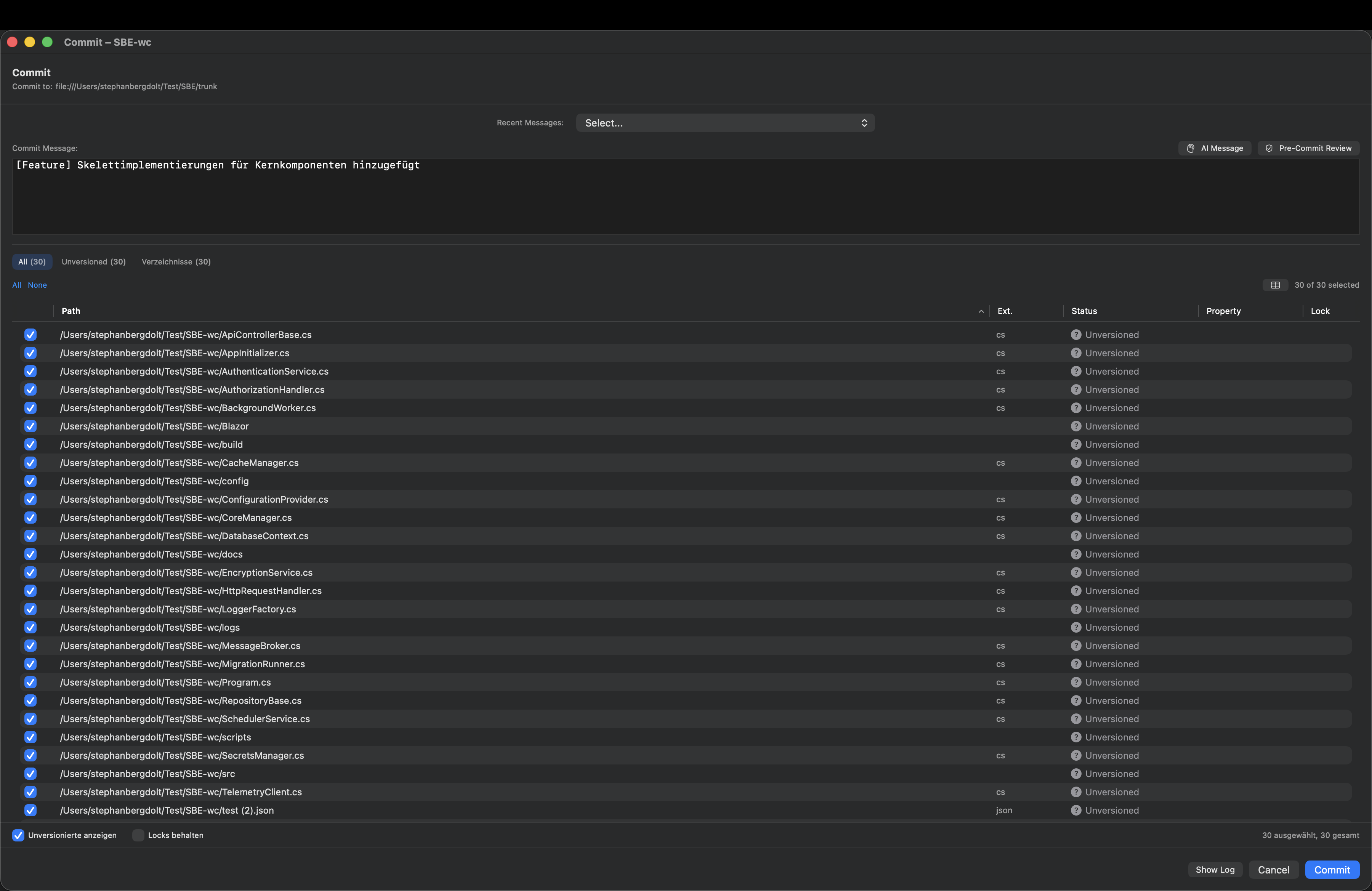
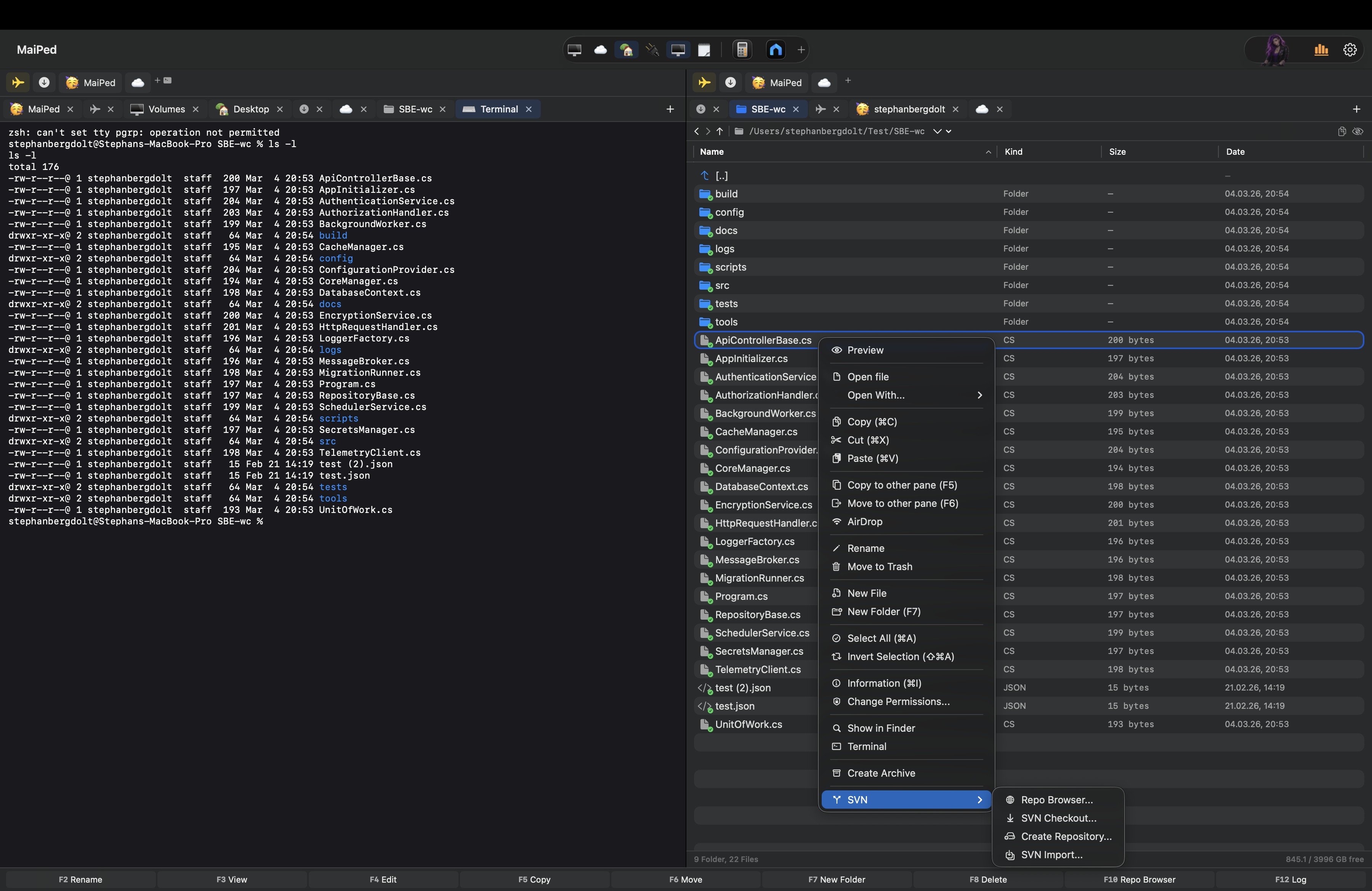
Commit, Update, Revert, Blame, Diff, Log, Checkout, Cleanup, Conflict Resolution, Branch/Tag, Switch, Lock/Unlock, Export, Patch, Properties – der komplette SVN-Workflow direkt im Dateimanager.Commit, Update, Revert, Blame, Diff, Log, Checkout, Cleanup, Conflict Resolution, Branch/Tag, Switch, Lock/Unlock, Export, Patch, Properties – the complete SVN workflow right in your file manager.

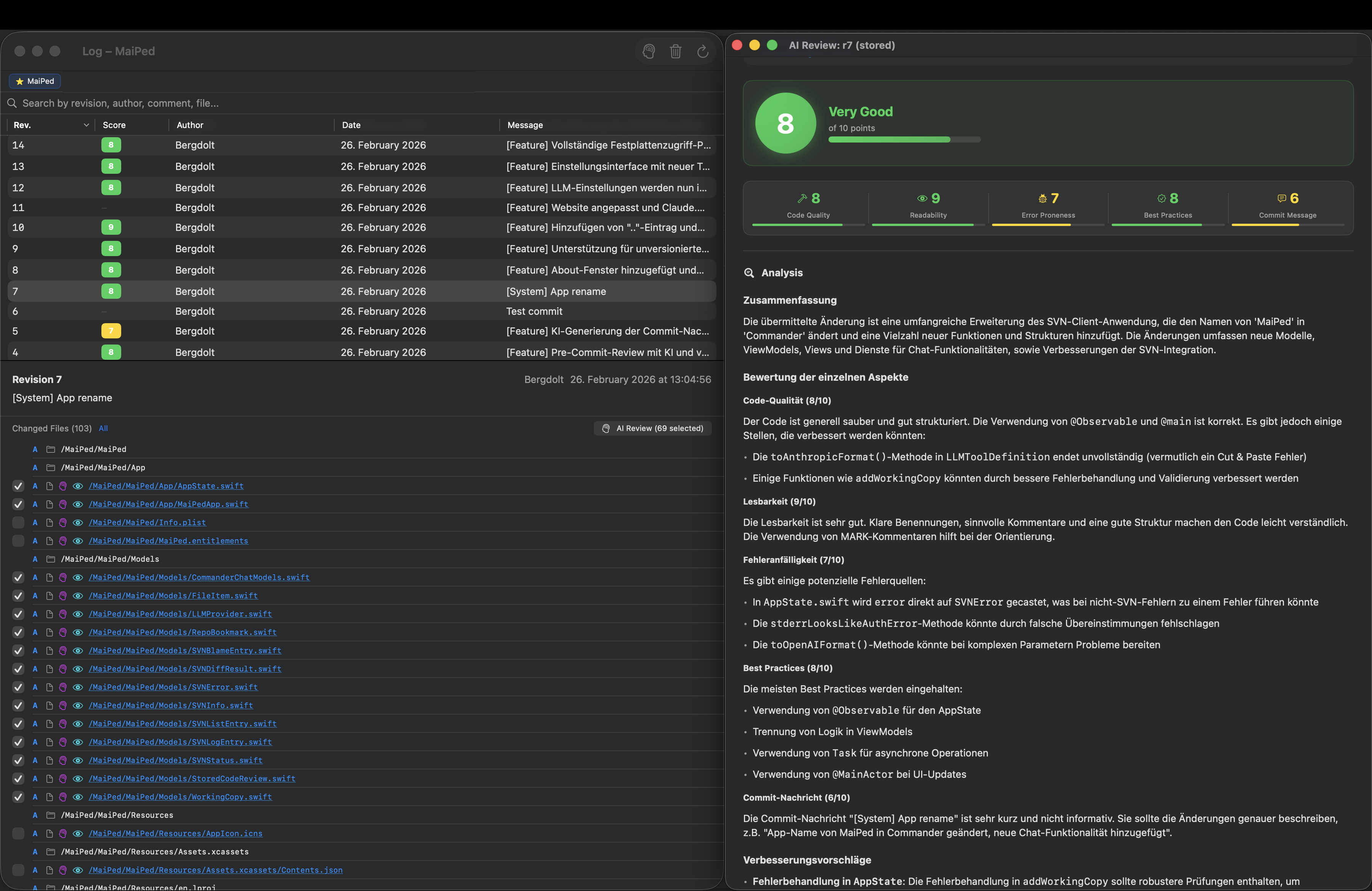
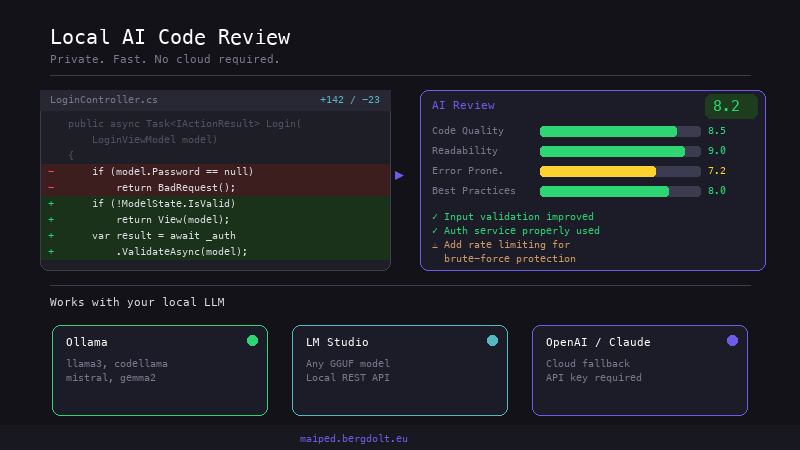
KI-gestützte Code-Reviews mit Bewertungen in Kategorien wie Qualität, Fehlerbehandlung und Performance. Pre-Commit und Batch-Reviews.AI-powered code reviews with ratings in categories like quality, error handling and performance. Pre-commit and batch reviews.
FTP/FTPS-Client für Datei-Uploads und Downloads. Verbinde dich mit SMB, AFP und NFS-Servern direkt aus der App.FTP/FTPS client for file uploads and downloads. Connect to SMB, AFP and NFS servers directly from the app.
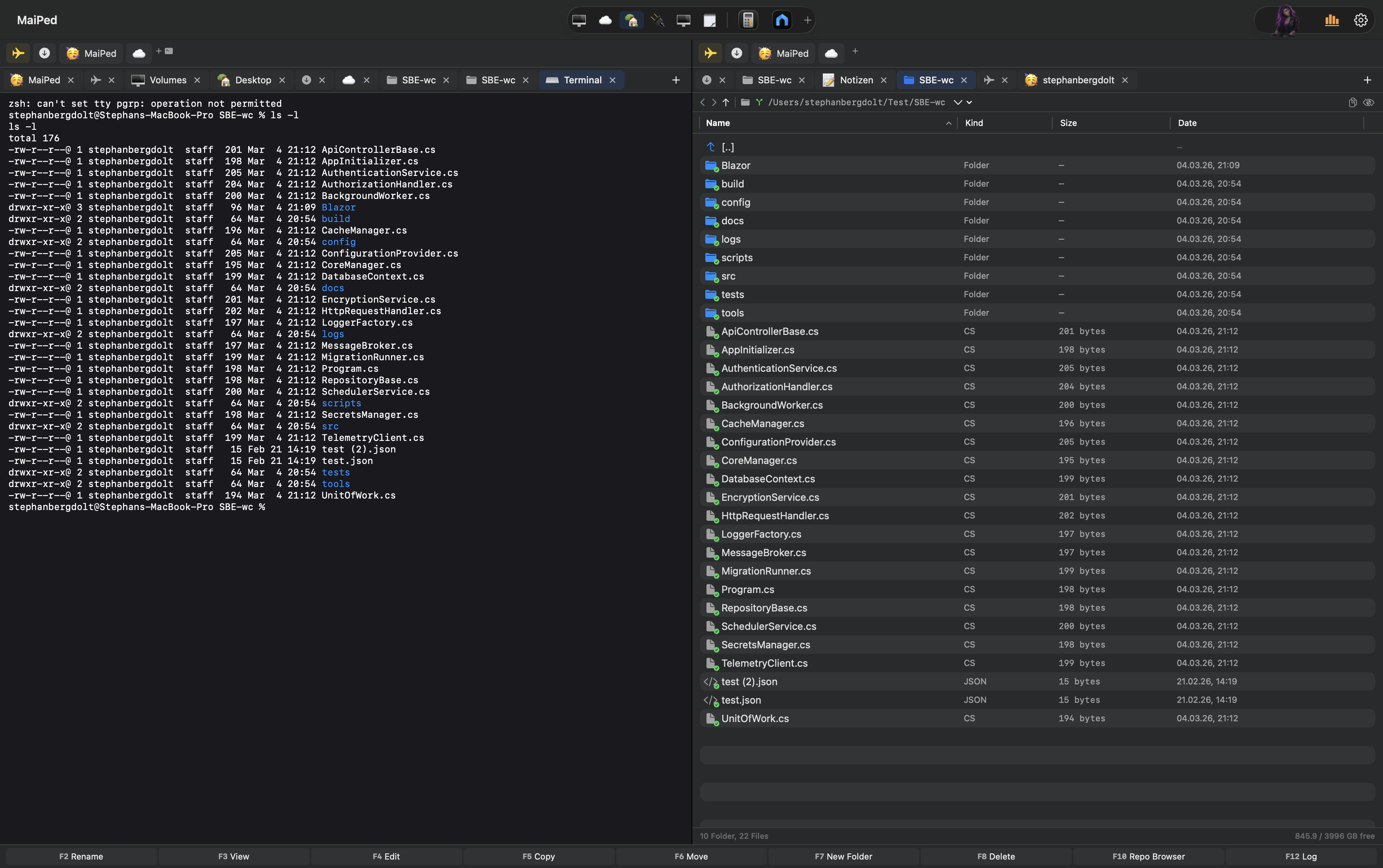
Vollwertiges Terminal direkt im Dateimanager mit ANSI-Farben, mehreren Sessions in Tabs und Favoriten, die sich den Arbeitsordner merken. Wechsle nahtlos zwischen Dateien und Kommandozeile.Full terminal directly in the file manager with ANSI colors, multiple sessions in tabs, and favorites that remember the working directory. Switch seamlessly between files and command line.
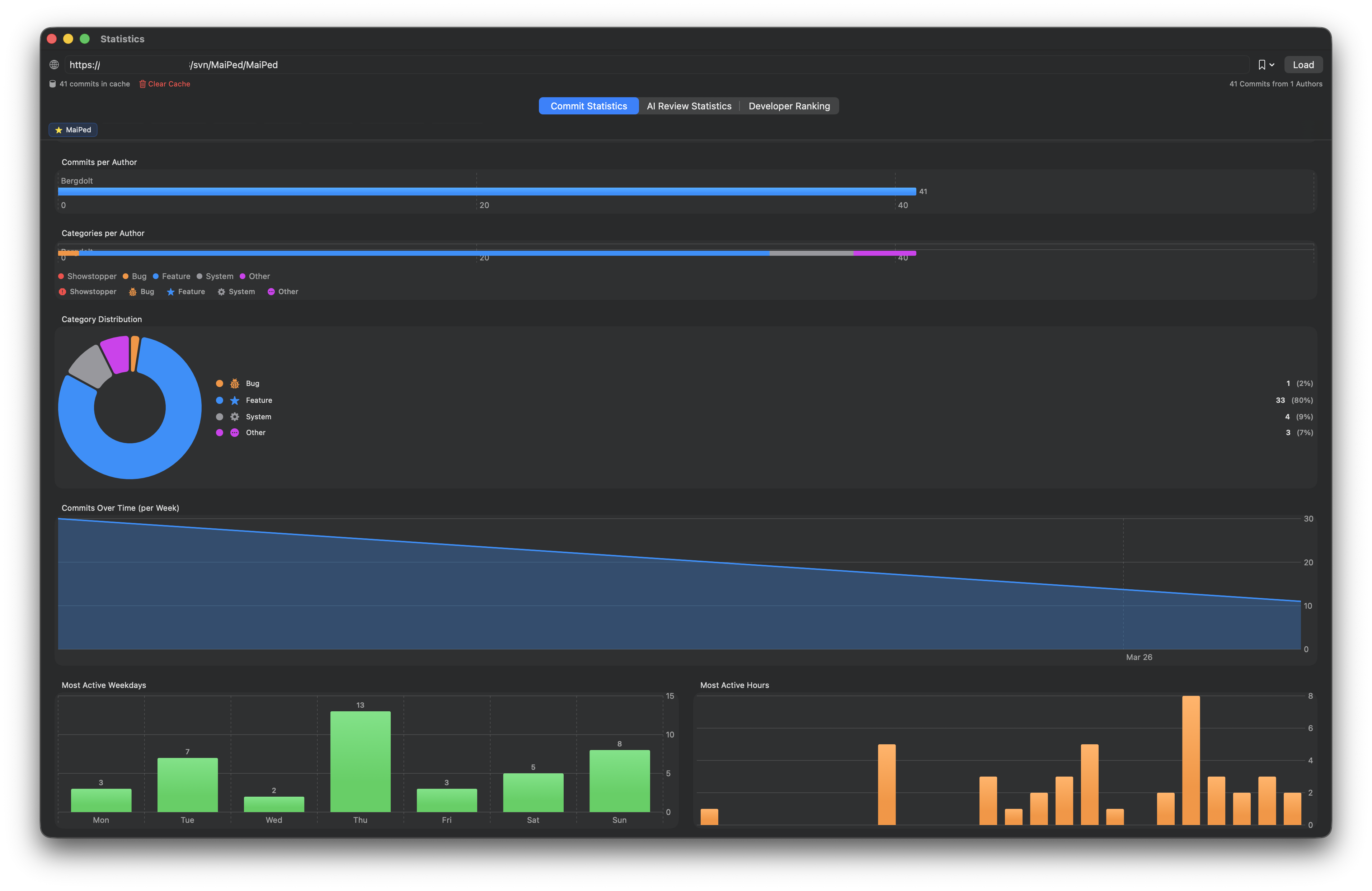
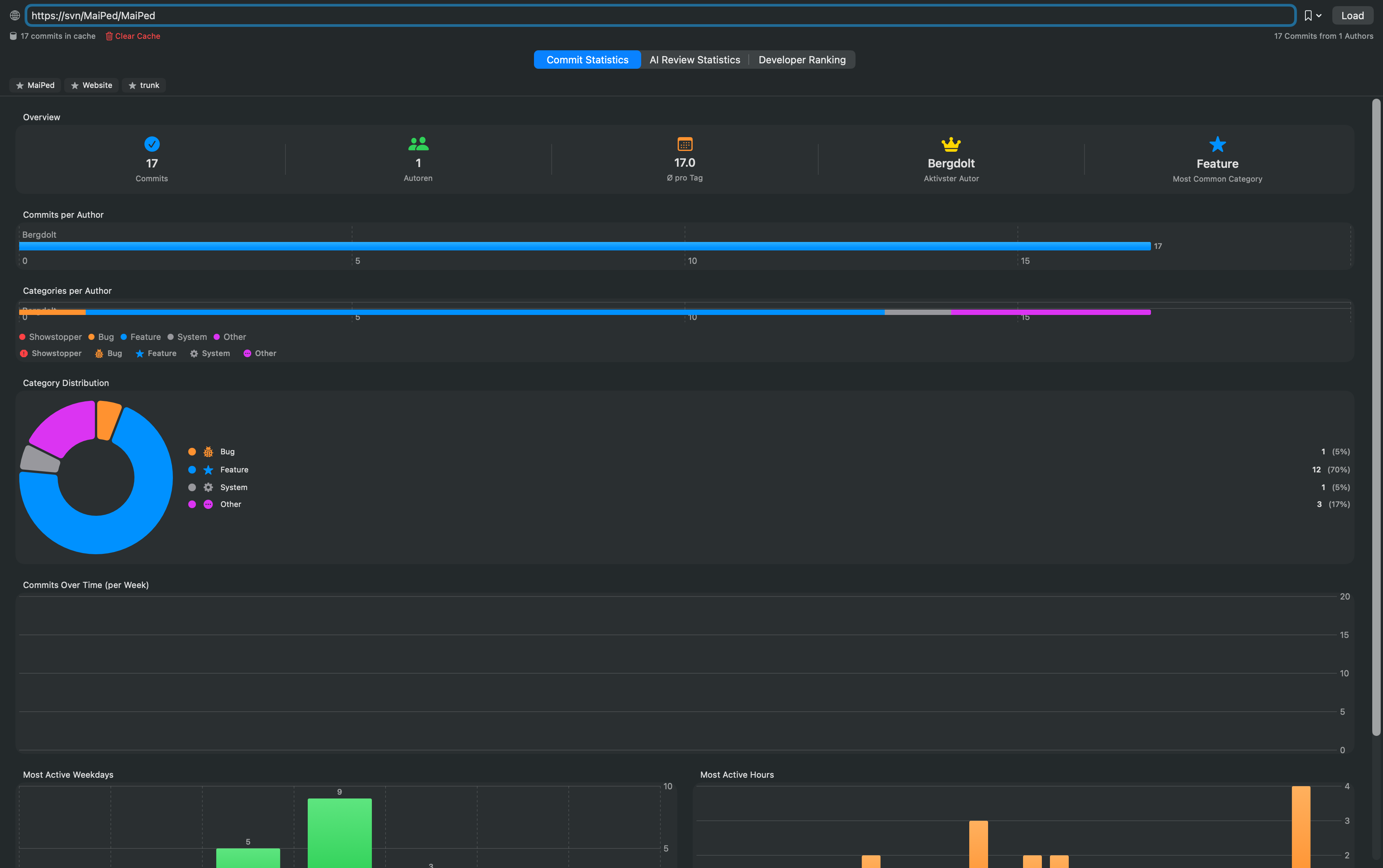
Interaktive Charts: Commits pro Autor, Code-Review-Scores, Dateiänderungen und zeitliche Verteilungen auf einen Blick.Interactive charts: commits per author, code review scores, file changes and time distributions at a glance.
Bilder rotieren, konvertieren, Hintergründe entfernen. PDF-Text als Markdown extrahieren. Texterkennung (OCR) für Bilder und gescannte PDFs – alles mit Apple Vision, ohne Cloud.Rotate images, convert formats, remove backgrounds. Extract PDF text as Markdown. OCR text recognition for images and scanned PDFs – all powered by Apple Vision, no cloud needed.
ZIP/TAR/GZ erstellen und entpacken, Datei-Berechtigungen bearbeiten, Terminal öffnen und Undo für bis zu 20 Aktionen.Create and extract ZIP/TAR/GZ, edit file permissions, open terminal and undo up to 20 actions.
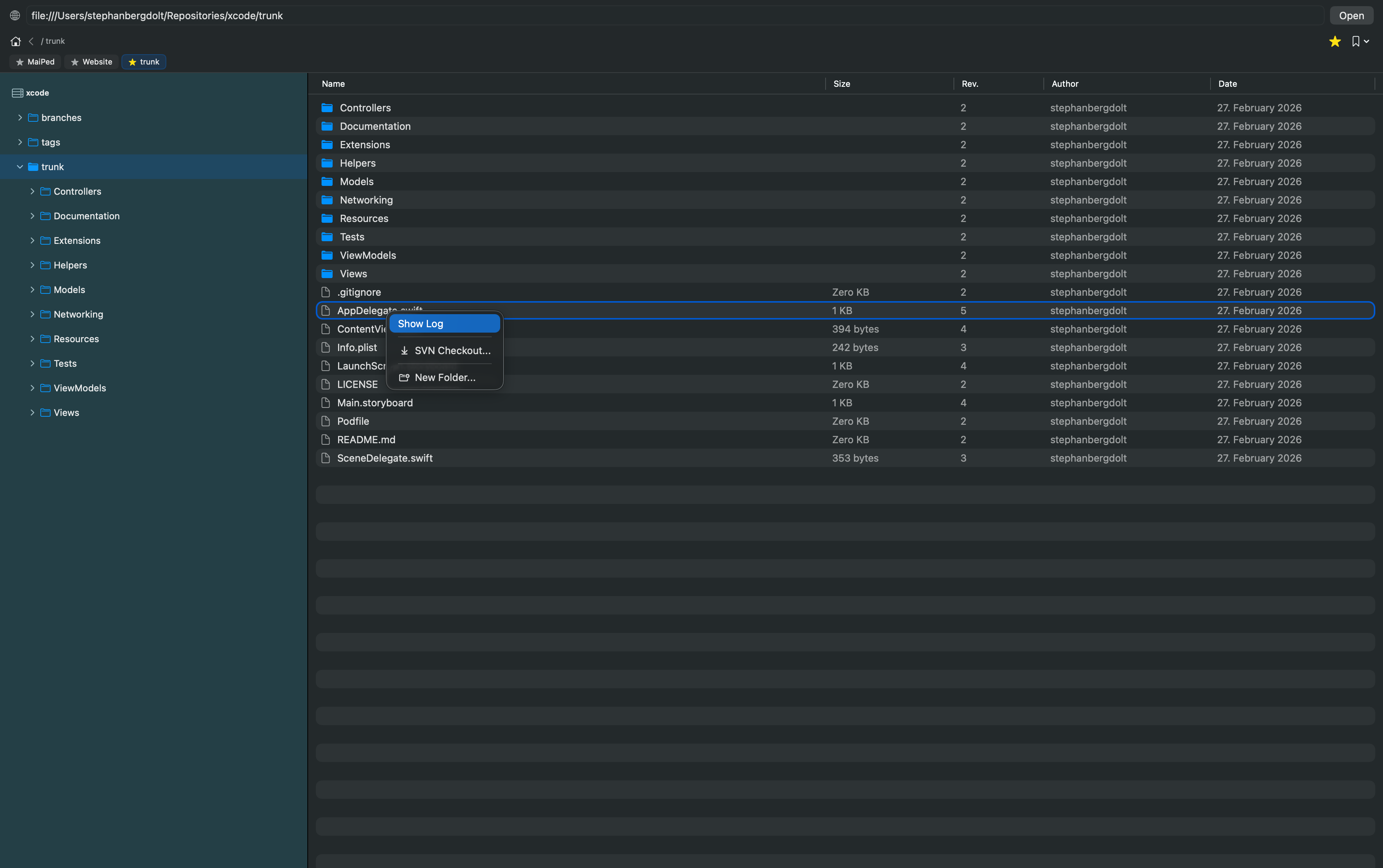
Durchsuche Remote-SVN-Repositories ohne Checkout. Erstelle und lösche Ordner, verschiebe Dateien per Drag & Drop oder checke beliebige Pfade aus.Browse remote SVN repositories without checkout. Create and delete folders, move files via drag & drop or check out any path.
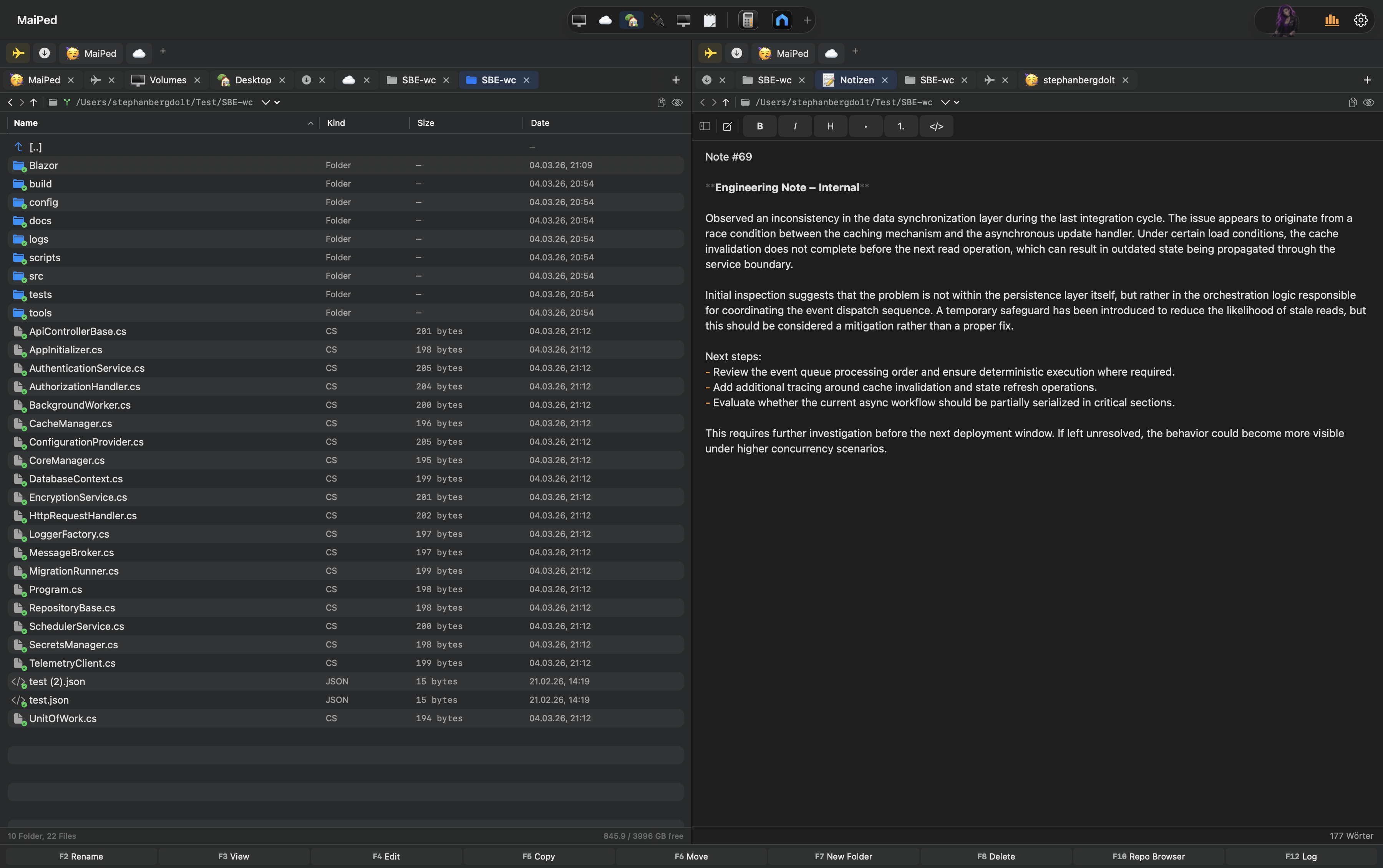
Integrierte Notizen mit WYSIWYG-Markdown-Editor. Fett, Kursiv, Überschriften und Listen werden direkt im Editor formatiert. Auto-Save in SQLite, Markdown-Export und -Import.Integrated notes with WYSIWYG Markdown editor. Bold, italic, headings and lists are formatted directly in the editor. Auto-save to SQLite, Markdown export and import.
Von der ersten Zeile Code bis zum App Store – 40.000+ Zeilen Swift, 84 Dateien, 0 externe Abhängigkeiten. From the first line of code to the App Store – 40,000+ lines of Swift, 84 files, 0 external dependencies.
Der Dateimanager ist das Herzstück von MaiPed: Zwei Spalten, unbegrenzte Tabs, individuell anpassbare Favoriten mit Emojis, SF Symbols und Farben – und ein KI-Assistent, der deine Dateien versteht. The file manager is the heart of MaiPed: two panes, unlimited tabs, individually customizable favorites with emojis, SF Symbols and colors – and an AI assistant that understands your files.
Navigiere in beiden Spalten unabhängig mit eigenen Tabs und Verlauf.
Navigate both panes independently with their own tabs and history.
40+ Tools: Dateien erstellen, intelligent umbenennen ohne Regex, Testdaten generieren, SVN-Befehle ausführen – alles per Chat.
40+ tools: create files, intelligently rename without regex, generate test data, run SVN commands – all via chat.
Verbinde dich mit SMB, AFP, NFS und FTP-Servern direkt aus MaiPed.
Connect to SMB, AFP, NFS and FTP servers directly from MaiPed.
Cmd+T, Cmd+F, Cmd+K und viele mehr – arbeite ohne die Maus zu berühren.
Cmd+T, Cmd+F, Cmd+K and many more – work without touching the mouse.
Passe MaiPed an deinen Workflow an: Favoriten mit Farben und Emojis, App-Launcher in der Toolbar, Tabs für jeden Ordner – und alles bleibt nach dem Neustart erhalten. Customize MaiPed to your workflow: favorites with colors and emojis, app launcher in the toolbar, tabs for every folder – and everything persists after restart.
Lass dir die Commit-Message von StacyAI generieren und deinen Code vor dem Commit reviewen – kinderleicht mit einem Klick. Let StacyAI generate your commit message and review your code before committing – effortless with a single click.
Wähle deinen LLM-Provider, Modell, Systemprompt und Sprache selbst – OpenAI, Anthropic, Ollama, Mistral oder LM Studio. Alles bleibt unter deiner Kontrolle, lokal oder in der Cloud. Choose your LLM provider, model, system prompt and language yourself – OpenAI, Anthropic, Ollama, Mistral or LM Studio. Everything stays under your control, local or cloud.
StacyAI erstellt auf Wunsch komplette Testdateien direkt im Dateisystem – hier eine HTML-E-Mail als .eml-Datei, sofort per QuickLook überprüfbar. StacyAI creates complete test files directly in the file system on demand – here an HTML email as .eml file, instantly verifiable via QuickLook.
Wähle deinen bevorzugten KI-Anbieter – oder nutze ein lokales Modell für maximale Privatsphäre. Jede Aufgabe kann einen eigenen Anbieter verwenden.
Choose your preferred AI provider – or use a local model for maximum privacy. Each task can use a different provider.
MaiPed läuft komplett lokal – keine Accounts, keine Telemetrie, keine Cloud-Pflicht.MaiPed runs entirely locally – no accounts, no telemetry, no cloud required.
Mit Ollama oder LM Studio läuft auch die KI komplett auf deinem Rechner. Kein Byte verlässt deinen Mac.With Ollama or LM Studio, even the AI runs entirely on your machine. Not a single byte leaves your Mac.
Keine Registrierung, kein Login, keine Telemetrie. Installieren und loslegen – sofort.No registration, no login, no telemetry. Install and go – immediately.
Alle Einstellungen, Credentials und Caches bleiben in einer lokalen Datenbank. Export & Import inklusive.All settings, credentials and caches stay in a local database. Export & import included.
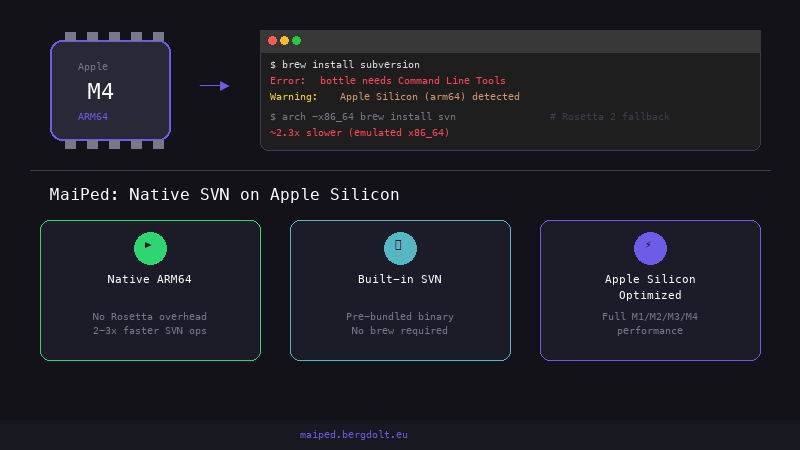
Keine externen Pakete. SVN wird mitgeliefert. Die App funktioniert out-of-the-box.No external packages. SVN is bundled. The app works out-of-the-box.
Gebaut mit SwiftUI für macOS 14+. Kein Electron, kein Web-View. Echte Mac-Performance.Built with SwiftUI for macOS 14+. No Electron, no web views. Real Mac performance.
Wenn du Cloud-KI nutzt, gehen deine Anfragen direkt zum Anbieter. MaiPed speichert oder leitet nichts um.When using cloud AI, your requests go directly to the provider. MaiPed stores nothing and doesn't redirect.
Einmalkauf – kein Abo, keine versteckten Kosten. Deine App, für immer. One-time purchase – no subscription, no hidden costs. Your app, forever.
⭐ Empfohlen
⭐ Recommended
MaiPed bündelt folgende Open-Source-Bibliotheken.MaiPed bundles the following open source libraries.
Dynamisch gelinkt (.dylib)Dynamically linked (.dylib)
Markdown WYSIWYG Editor (inkl. ProseMirror)Markdown WYSIWYG Editor (incl. ProseMirror)
Tipps, Hintergründe und Best Practices rund um SVN, KI-Code-Reviews und Dateimanagement auf dem Mac.Tips, insights and best practices around SVN, AI code reviews and file management on the Mac.
SVN
Warum es kein TortoiseSVN für macOS gibt, welche Alternativen existieren und wie MaiPed die Lücke füllt.Why there is no TortoiseSVN for macOS, what alternatives exist, and how MaiPed fills the gap.
Commander
Commander One, ForkLift, Path Finder – und warum MaiPed der wahre Nachfolger für Mac-User ist.Commander One, ForkLift, Path Finder – and why MaiPed is the true successor for Mac users.
KI / AI
Datenschutzfreundliche Pre-Commit-Reviews mit Ollama und LM Studio – ohne Cloud-Abhängigkeit.Privacy-friendly pre-commit reviews with Ollama and LM Studio – no cloud dependency.
KI / AI
Wie KI-basierte Review-Scores objektive Qualitätsmetriken für jedes SVN-Commit liefern.How AI-based review scores provide objective quality metrics for every SVN commit.
SVN
Hotspot-Analyse, KI-Reviews und Statistik-Dashboards zur systematischen Schuldenreduktion.Hotspot analysis, AI reviews, and statistics dashboards for systematic debt reduction.
Homebrew-Probleme, kaputte Dylibs, Rosetta-Workarounds – und wie MaiPed alles löst.Homebrew issues, broken dylibs, Rosetta workarounds – and how MaiPed solves it all.
Migration
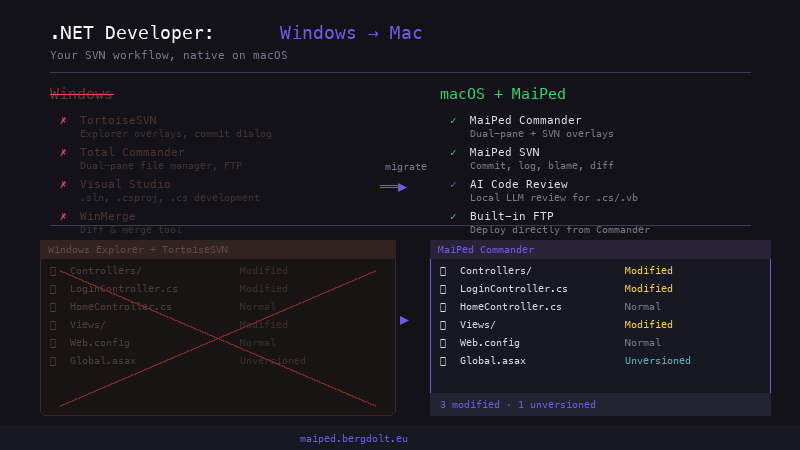
Total Commander, TortoiseSVN, Visual Studio – wie MaiPed jede Lücke auf macOS schließt.Total Commander, TortoiseSVN, Visual Studio – how MaiPed fills every gap on macOS.
MaiPed ist jetzt im Mac App Store verfügbar.MaiPed is now available on the Mac App Store.